
7 Best Integration Ecosystems: Miro vs Lucidspark for Enterprise Teams
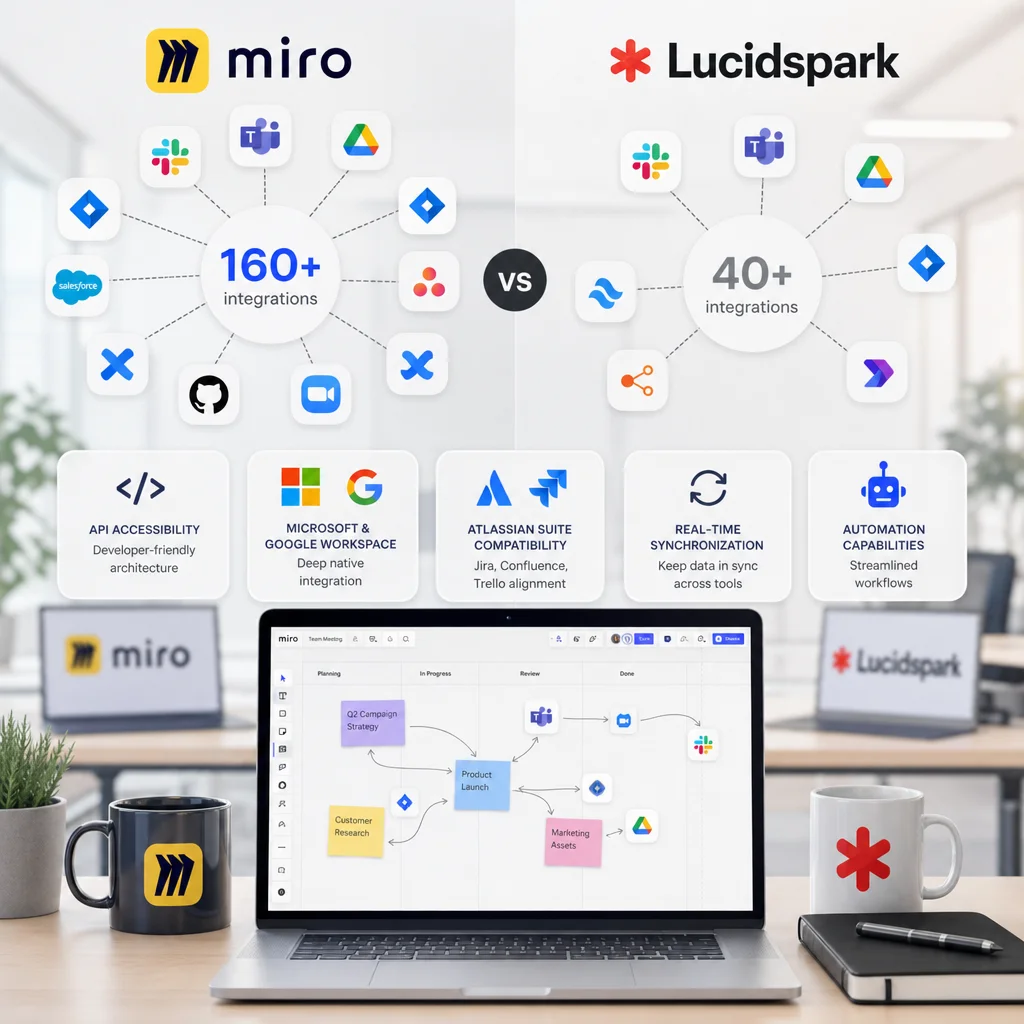
1. Native Third-Party Integrations: Why Miro's 160+ Ecosystem Outpaces Lucidspark
When your team relies on dozens of tools to get work done, integration capability becomes a business necessity, not a nice-to-have feature. Enterprise teams juggle project management platforms, communication tools, document repositories, and specialized software daily. Without seamless connections between them, you're forcing your people to manually copy-paste data, switch contexts constantly, and lose critical updates in the noise.
Lucidspark offers basic integrations, but when we looked at what growing enterprises actually need, we built our integration ecosystem differently. Our platform connects with 160+ third-party tools natively, with more added regularly. This isn't about quantity for its own sake—it's about covering the real workflows your teams depend on, from day one, without friction.
Let's examine how we're approaching integration ecosystems and why this matters for your enterprise.
The core problem is simple: your team uses tools Lucidspark doesn't support natively. When a collaboration platform forces workarounds, you're asking your people to spend time on logistics instead of innovation.
We've built Miro integrations across the categories your teams actually live in:
- Productivity and communication (Slack, Microsoft Teams, Discord)
- Project and workflow management (Asana, Monday.com, Jira, Trello)
- Document and knowledge management (Notion, Confluence, Google Drive, OneDrive)
- Design and content tools (Figma, Adobe Creative Cloud, Canva)
- Analytics and data platforms (Tableau, Mixpanel, Databox)
Lucidspark covers some of these, but the gaps compound quickly. If your marketing team uses HubSpot, your design team uses Figma, and your product team uses Jira, you need integrations that actually exist. We support all three, plus the 157 others your enterprise likely needs.
The immediate benefit: your teams stay in their existing tools and workflows while collaborating on Miro. When someone creates a task on our canvas, it can automatically sync to Asana. When a Slack message needs visual brainstorming, teams jump to Miro without leaving their notification channels.
Action: Audit the tools your key teams use daily. Check our integration directory against your stack. If 80% of your critical workflows are covered natively, you've eliminated the largest source of adoption friction.
2. API Accessibility and Developer-Friendly Architecture for Custom Solutions
Not every tool your enterprise uses is mainstream. You might have custom internal applications, legacy systems that won't retire, or specialized software built for your specific industry. Native integrations alone can't cover that reality.
We've designed our API with enterprise developers in mind. Our REST API and webhook capabilities let your team build custom integrations without waiting for us to prioritize their niche tool. We also support our developer community through detailed documentation, SDKs in multiple languages, and a marketplace where developers can publish apps for other users to discover.
This matters because it shifts the constraint from "Miro only connects to popular tools" to "your developers can connect Miro to anything." If your compliance team needs real-time sync with an internal risk management system, that's solvable. If your operations group runs custom scheduling software, you can bridge that.
Lucidspark's API exists, but their developer ecosystem is smaller and documentation is less comprehensive. We've invested in this space because we know growing enterprises hit edge cases constantly. Your custom solutions shouldn't require professional services or third-party middleware just to work.
Action: If your tech stack includes custom or specialized tools, request API documentation and test a simple integration scenario with your development team before committing to any platform.
3. Microsoft and Google Workspace Integration: Our Competitive Advantage
Most enterprises live in one of two worlds: all-in on Microsoft (Azure, Office 365, Teams, SharePoint) or deeply invested in Google (Workspace, Gmail, Drive, Meet). Some teams use both. This isn't optional infrastructure—it's where your identity management, compliance, and daily work actually happen.
We've built deep integrations with both ecosystems, not shallow connections. Here's what that means in practice:
Microsoft integration includes: seamless single sign-on through Azure AD, native sharing of Miro boards to SharePoint, embedding Miro canvases directly in Teams channels, and automatic user provisioning so IT doesn't manually add accounts.
Google integration includes: OAuth login through Google Workspace, direct board sharing to Google Drive, embedding in Google Sites, and synchronization with Google Calendar so brainstorming sessions appear where your team actually checks their schedule.
The key difference is bidirectional workflow. Your team doesn't just launch Miro from Teams or access files from Google Drive—your Miro work surfaces directly in the tools where decisions happen. A completed board can be archived to SharePoint. Collaborative updates automatically sync to Google Drive. Comments on tasks update your team's communication threads.
Lucidspark's Microsoft and Google support exists, but it's narrower in scope. You get login integration and basic sharing, but you lose the deeper synchronization that prevents context-switching. Every hand-off between systems is a friction point where updates get lost.
Action: Test the single sign-on and permissions workflow with your identity team. Verify that your Microsoft Teams or Google Workspace admins can easily control who accesses your collaboration platform without recreating accounts.
4. Atlassian Suite Compatibility: Seamless Project Management Alignment
If your product or engineering teams use Jira, Confluence, and Trello, those tools are your source of truth for what's happening. Your collaboration platform needs to plug directly into that truth, not exist as a separate silo where ideas get discussed but never connected to execution.
We've built what we call "source-to-execution" integration with Atlassian's suite. Boards created on Miro can spawn Jira issues automatically. Comments and decisions on our canvas can update Confluence pages with a single action. Sprint planning happens visually on our unlimited digital canvas, then syncs directly to Jira sprint boards.
The reverse flow matters equally. Your team can pull Jira tickets directly onto a Miro board during planning, see their status in real time as developers update them, and link boards to Confluence documentation without manual copying.
This eliminates a common enterprise pain point: design and planning living in one tool, execution in another, with no automated bridge between them. Your product managers waste hours manually transcribing insights into tickets. Your engineers miss the context of why decisions were made.
Lucidspark's Atlassian integration is functional but minimal—primarily one-way data sharing. We've designed ours as a two-way working relationship where both platforms stay current with information.
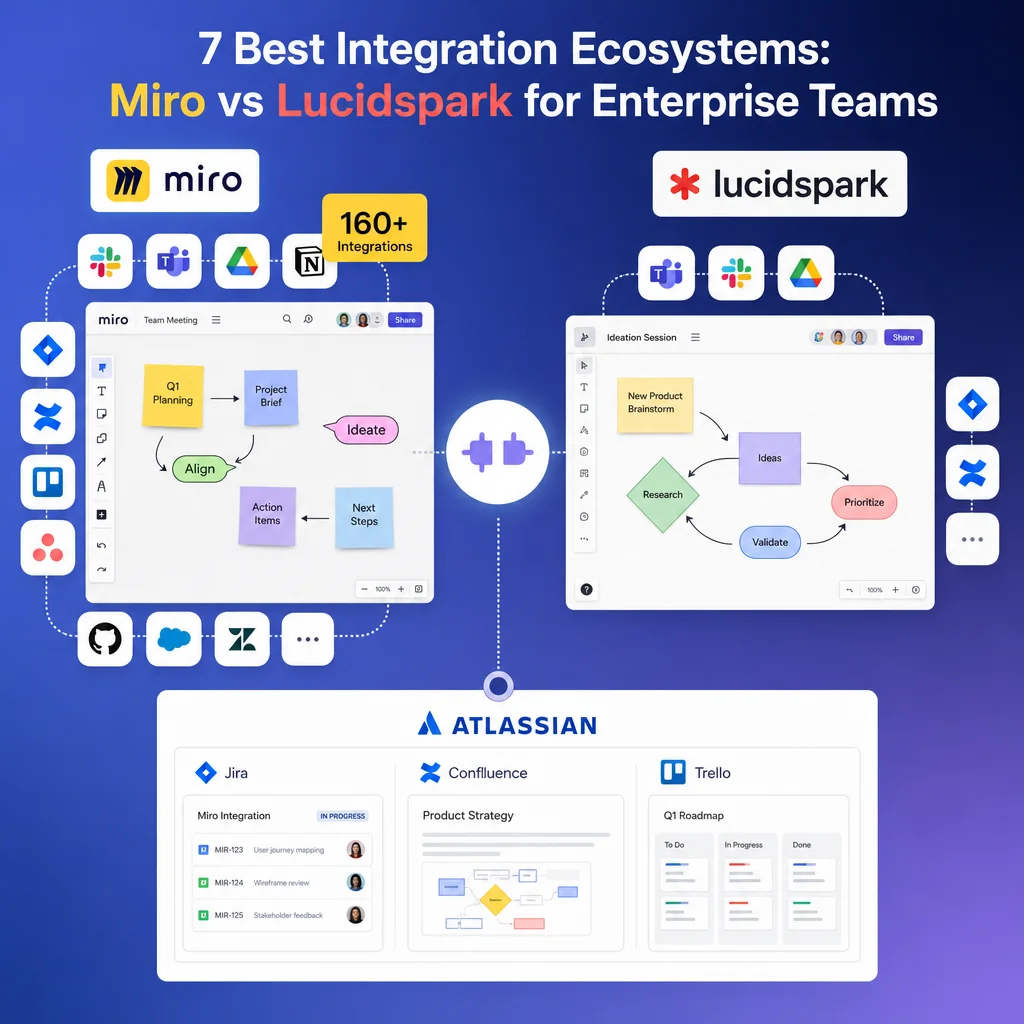
Action: If you're an Atlassian shop, create a sample sprint planning scenario on our platform. Map the workflow from Miro board creation through Jira issue generation and back to status updates. If that loop is automated and clean, you've found your efficiency multiplier.
5. Real-Time Synchronization Across Connected Tools and Platforms
Integration only matters if it's fast. A Slack notification that arrives 10 minutes after someone updates a task isn't really integrated—it's just eventual consistency, and eventual isn't good enough when teams need to move quickly.
Our architecture prioritizes real-time sync. When someone moves a sticky note into the "Done" column on your Miro board, the connected Asana task status updates immediately. When a teammate comments on a design, that notification reaches Slack right away. When your spreadsheet data changes, boards pulling that information update without refresh delays.
This speeds up decision-making substantially. Your team isn't chasing information across platforms or waiting for overnight syncs. They're working with current information, which means fewer false starts and faster convergence on decisions.
Lucidspark's integrations can introduce lag, especially under load. When multiple teams are collaborating heavily, you might see delays of several minutes before external systems reflect changes. For real-time collaboration, that's a significant gap.
The technical reason matters: we've built our integration infrastructure on webhook architecture that pushes updates rather than pulling them periodically. Your tools notify each other immediately when changes happen, rather than checking in on a schedule.
Action: Test update latency yourself. Create a task on the connected platform, time how long until it appears in the collaboration tool, then reverse the flow. Anything over 30 seconds of lag will compound into real frustration during active brainstorming sessions.
6. Automation Capabilities and Workflow Efficiency Gains
Beyond just connecting tools, you need them to work together intelligently. When a specific event happens in one platform, other tools should respond automatically without human intervention.
We've built automation layers directly into our platform. You can create rules like: "When a board is archived, upload it to SharePoint and send a summary to Slack." Or: "When a task reaches the 'Ready for Dev' stage on our canvas, create a Jira epic and add the sprint owner to the board." These aren't through third-party automation services (though we work with those too)—they're native capabilities built into how our platform connects.
This is where enterprise efficiency multiplies. Every task your team automates is time they're not spending on repetitive work. If you're running 50 brainstorming sessions a year, and each one generates documentation, governance updates, and stakeholder notifications, automating that workflow saves hundreds of hours annually.
Lucidspark lacks native automation. You'll need Zapier or Make (formerly Integromat) as an intermediary, which means added complexity, potential latency, and additional subscription costs.
Action: List your most repetitive post-collaboration tasks. Do you manually update spreadsheets? Send status emails? Archive work to specific folders? Map these to automation rules you'd build, then estimate the time savings over a quarter.
7. Enterprise Security and Compliance Within Your Integration Stack
Every integration point is a potential security surface. When your collaboration platform connects to your Microsoft 365 environment, your Jira instance, and your customer database through connected tools, you're expanding your attack surface and your compliance obligations.
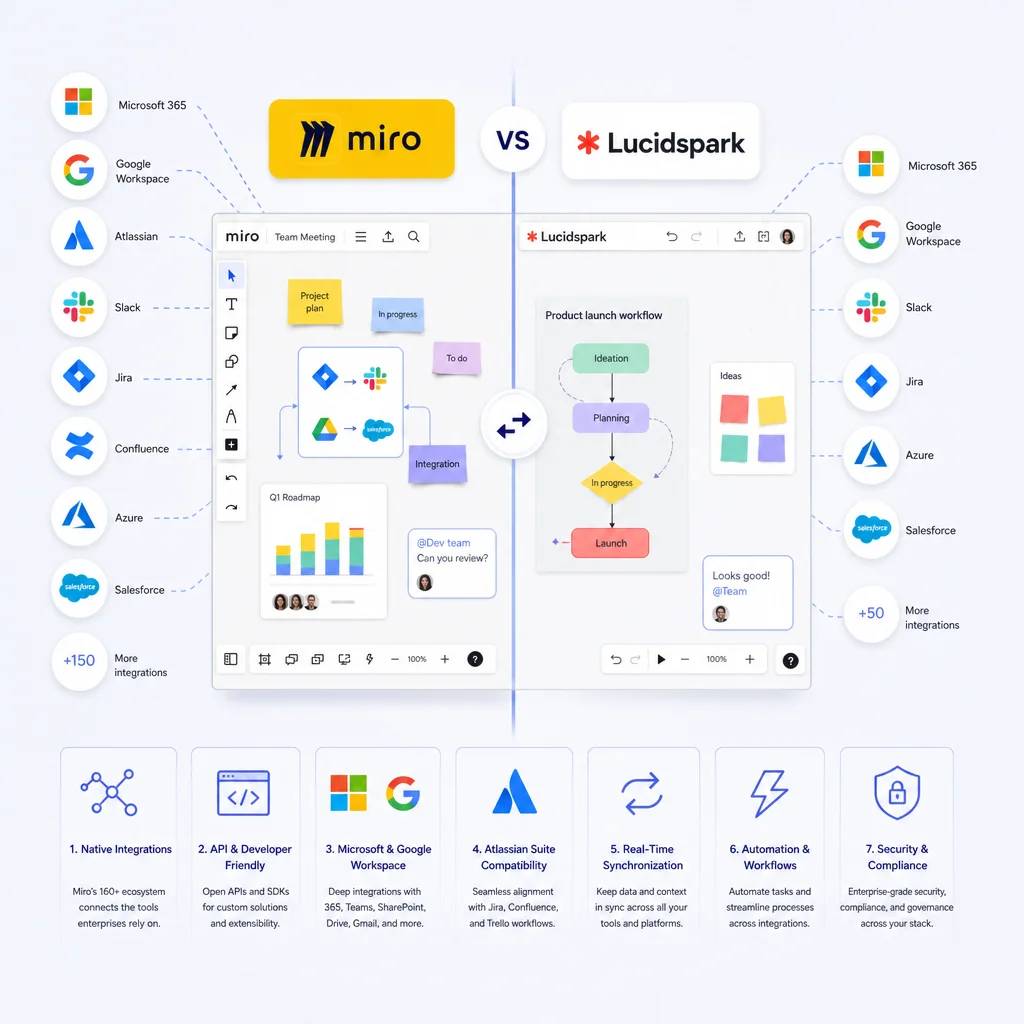
We take this seriously because enterprises do. Our integrations enforce the same security standards we apply to our core platform:
- OAuth and SAML SSO for authentication, never storing passwords
- Field-level permissions that respect what each user should access
- Audit logs for every integration connection and data access
- SOC 2 Type II, ISO 27001, and HIPAA compliance
- Regular security assessments of our integration infrastructure
When you connect Miro to your Microsoft environment, your Azure AD controls permissions. When data flows from Jira, it respects your Jira security model. We don't strip permissions or introduce security exceptions for convenience.
This matters for regulated industries especially. If you're in healthcare, financial services, or government, integrations can create compliance gaps if they're not designed carefully. Lucidspark's compliance posture exists, but their integration security is less mature for highly regulated enterprises.
Action: Request our security documentation and have your CISO or compliance team review the integration architecture. Verify that audit trails capture who accessed what data through which connected platform.
---
We've built Miro as an integration-first platform because we understand that enterprise teams don't want another siloed tool—they want their existing tools to work better together. With 160+ native integrations, a robust API, deep partnerships with market leaders, real-time sync, native automation, and enterprise security built throughout, we've created the integration ecosystem that actually matches how modern teams work.
If your organization runs on Microsoft, Google, Jira, Slack, and a dozen other critical platforms, Miro connects them all seamlessly. Lucidspark has integrations, but they're built as connections to other tools, not as a foundational architecture. For enterprise teams that need speed, compliance, and frictionless workflows, that difference compounds into real competitive advantage.
Your next step: start with a pilot. Connect your highest-priority workflows and measure the time saved through automation and real-time sync. If your team is spending less time managing tools and more time on actual innovation, you've found the right platform.
Frequently Asked Questions (FAQ)
How many integrations does our platform support, and what makes our ecosystem different from competitors?
We currently support over 160 integrations across popular enterprise tools including Microsoft, Google, and Atlassian products. Our integration ecosystem stands out because we've prioritized deep compatibility with the tools your teams already use daily, rather than offering surface-level connections that lack real functionality.
Can we build custom integrations if our specific workflow isn't covered by your existing ecosystem?
Yes, we provide a developer-friendly API and architecture that allows your technical team to create custom integrations tailored to your unique business processes. We actively support app creation through our platform, so you're not limited to our pre-built solutions if you need something more specialized.
How do we ensure data security and compliance when integrating multiple tools into our workflow?
We maintain enterprise-grade security standards across our entire integration stack, including encryption, access controls, and compliance with major regulatory frameworks. All data synchronized between our platform and your connected tools follows the same rigorous security protocols we apply to our core application.